2008年11月29日土曜日

Black Friday deals from Dynamism


The good folks over at Dynamism have put up some nice Black Friday deals for those interested in a mobile computing. These will be good through Sunday or while supplies last.
If you are looking for a great deal on a netbook that will be able to handle your basic computing tasks, [...]


The good folks over at Dynamism have put up some nice Black Friday deals for those interested in a mobile computing. These will be good through Sunday or while supplies last.


If you are looking for a great deal on a netbook that will be able to handle your basic computing tasks, take a look at the Acer Aspire One [Portal page] [review] which can be bought for $249. The Black Friday Aspire One comes with Linpus Lite (Linux), 8GB SSD storage, and 512MB of RAM.


If you want some serious mobile computing power in a tiny package, Dynamism has the Raon Everun Note [Portal page] [review] for $599. The Black Friday Everun Note is configured with an AMD Sempron 1.2GHz CPU, 1GB of RAM, 16GB SSD, and Ubuntu Linux.


Want something hand-held? You can pick up a well equipped OQO 02 [Portal page] [review] for $1599. The Black Friday Special OQO 02 comes with a 1.6GHz VIA C7-M CPU, 1GB of RAM, 120GB HDD, and Windows XP Pro.


And last but not least, there is an Asus Eee PC 900 [Portal page] for $299. The Black Friday configuration of this computer has the Intel Celeron 900MHz CPU, 12GB SSD, 1GB of RAM and Windows XP.


Check out the rest of the Black Friday Specials page for deals on other products as well. Again, these deals will only last until Sunday or possibly sooner if stock runs out, don’t let this one slip by.


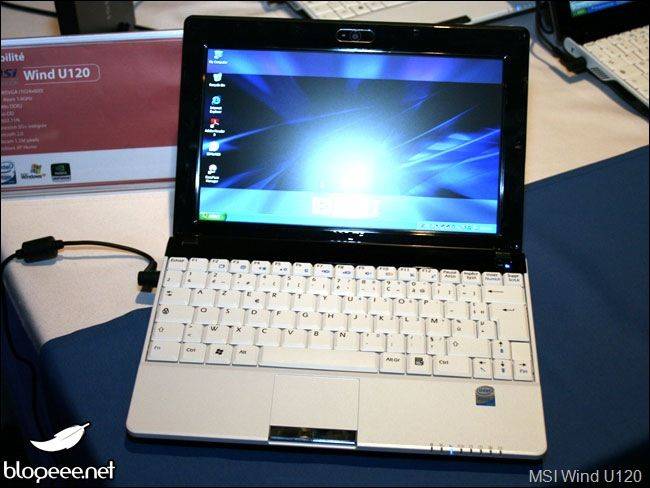


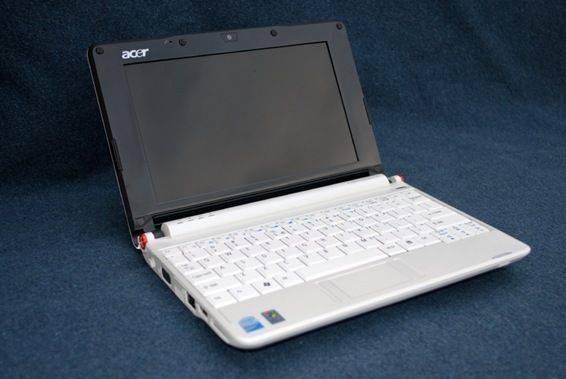


New MSI netbooks; not your standard cookie-cutter specs


Finally a breath of fresh air in an area of computing where the only major difference in products was appearance and price!
I’m really glad to see some interesting new stuff from MSI. We recently talked about the MSI Wind U120 [Portal page] which is just like the original U100 but with 3G and some increased [...]

u120Finally a breath of fresh air in an area of computing where the only major difference in products was appearance and price!


I’m really glad to see some interesting new stuff from MSI. We recently talked about the MSI Wind U120 [Portal page] which is just like the original U100 but with 3G and some increased storage options, but that isn’t very exciting is it?


Now news is spreading that MSI will be releasing two additional netbooks some time around January. The netbooks will be the U110 and U115; I’ve put the interesting things in bold:


  • 1024×600 10" screen

  • 1.6GHz Intel Atom Z530 CPU - which is a more expensive but less power hungry chip (2w) than the Atom N270 (2.5w) which is in almost every netbook you see today

  • Poulsbo US15W chipset - most netbooks are using the Intel 945G. Poulsbo in combination with the Z530 CPU will make for a total chipset drain of 4.3w

  • 6-cell battery

  • Up to 250GB HDD for the U110

  • Hybrid Storage - The U115 will feature SSD and HDD combinations. The idea is that the OS and programs can go on the smaller capacity SSD (8/16/32GB) for quick booting and program launching, then there will be plenty of room for media and other storage on the HDD (80/120/160GB). Computers such as the VAIO TZ have used a similar storage configuration. It will be important to the success of the U115 that this doesn’t consume too much power running both drives.

  • Wi-Fi B/G/draft-N

  • The rest is pretty common; Bluetooth, 1GB of RAM (up to 2GB on the U115), 3x USB 2.0 ports, 2.0MP webcam etc.


Like I said, all of this is new and exciting to see in a netbook. However, after reading this I can’t help but wonder how they plan on keeping the prices down. Nearly everything in this list will run the price up over current netbooks: new CPU+chipset, two storage drives, and draft-N Wi-Fi. We’ll have to wait and see but I would image the top end U115 will run you somewhere around $700 if not higher.


[Blogeee] via [Liliputing] [Electric Vagabond]


2008年11月28日金曜日

Menlow / XP Hopes Rise with News from Kohji


This must be the fourth time we’ve heard that XP will be coming to the Menlow platform in the past few months. First there was the Wibrain i1 (sadly, delayed until 2009, we hear) then there was the Dell Mini 12 (again, where is it?) then there were rumblings about Aigo getting XP drivers out [...]

This must be the fourth time we’ve heard that XP will be coming to the Menlow platform in the past few months. First there was the Wibrain i1 (sadly, delayed until 2009, we hear) then there was the Dell Mini 12 (again, where is it?) then there were rumblings about Aigo getting XP drivers out for the Aigo MID and now its Kohjinsha’s turn. According to Akihabara News, they’ve announced that the SC3 and SX3 will be available with XP in December.


We’ve got an SC3 gathering dust here in the office. While the form factor is good, the construction is nice, the H.264 performance is awesome and the screen is fantastic, the battery life, ahem, sucks, and the Vista build is just way too unpredictable to be used for anything approaching mobile productivity. (Trust me on this. I’ve tried many times!) Tests with Windows 7 proved that battery life could be improved (my test results in this thread) but it doesn’t really provide an increase in confidence when you work with a pre-beta OS.


Fingers crossed then that Intel and Kohjinsha’s part suppliers have come up with the goods that might transform the SC3 like it did the Q! Ultra:


Immediately, even after just the first few seconds of use, it was clear that the device was a lot faster and a lot more fluid than with Vista. I guess I shouldn’t have been suprised! Boot time was quick. The disk light wasn’t flashing like a Vegas slot machine. [source]


Keep an eye on the Japanese Driver page and if you spot those XP drivers, let me know!


Via Akihabara News.


2008年11月26日水曜日

Buy your Dell Mini 9 with HSDPA today


After recently adding a 32GB SSD option, Dell appears to be the first in the US to sell a netbook in the with a 3G radio and an actual data plan through a carrier. While some carriers in other countries are subsidizing the entire netbooks bundled with a 3G modems, you won’t get that [...]

mini 9 3g


After recently adding a 32GB SSD option, Dell appears to be the first in the US to sell a netbook in the with a 3G radio and an actual data plan through a carrier. While some carriers in other countries are subsidizing the entire netbooks bundled with a 3G modems, you won’t get that sort of discount here. At least it won’t cost you much extra, provided you sign up with a 2 year contract from AT&T. It looks as though the modem can only be added to a Mini 9 configured with XP at this point.


Adding the HSDPA modem to your Mini 9 [Portal page] configuration will also add $125 to the bill, however you can reclaim $120 of that through a rebate if you sign up with AT&T. So an extra $5 for a 3G modem doesn’t sound bad right? Unfortunately it isn’t the hardware that makes up the real cost, it is the data plan, which will run you $60/month from AT&T. Brad from Liliputing points out that for some, it might be more cost effective to use an AT&T 3G USB dongle if you own more than one mobile computer. It would cost the same amount per month, but offer the flexibility of using one piece of 3G hardware on more than one computer.


[Liliputing]


Acer sells and estimated 5.8 million Aspire Ones, 10" model for the future


According to Akihabaranews.com, Acer will sell an estimated 5.8 million (you read that right, 5,800,000) Aspire One netbooks [Portal page][review] by the end of the year. That is a pretty big number considering that the Aspire One wasn’t even released until Q2 of 2008. Akihabaranews says that Acer sent them some press info showing the [...]

aspire oneAccording to Akihabaranews.com, Acer will sell an estimated 5.8 million (you read that right, 5,800,000) Aspire One netbooks [Portal page][review] by the end of the year. That is a pretty big number considering that the Aspire One wasn’t even released until Q2 of 2008. Akihabaranews says that Acer sent them some press info showing the sales for each quarter as well as the estimated number for the final quarter:


Quarter


# of Aspire Ones sold


Q1


0


Q2


800,000


Q3


2,200,000


Q4


2,800,000 [estimated]


In addition to these impressive figures, Scott Lin, Acer Taiwan president has also stated that they will be following in the steps of some other companies and offer a 10" version of the Aspire One. Said to have the same specs, lets call it the Aspire Ten for now, will go on sale possibly in February or March of 2009.


2008年11月24日月曜日

Gigabyte M528. Dec 22 Availability Confirmed For Taiwan


Chungwa and Gigabyte will be launching the M528 on Dec 6th with availability set for Dec 22nd according to an official statement appearing in PC World via the IDG News service.

This is of course good news for the west because up until now, the product didn’t even have a production line schedule. We had [...]

Chungwa and Gigabyte will be launching the M528 on Dec 6th with availability set for Dec 22nd according to an official statement appearing in PC World via the IDG News service.


This is of course good news for the west because up until now, the product didn’t even have a production line schedule. We had heard that the M528 was to go out initially through Expansys in Europe but that could have changed. I doubt anyone will be getting it as a Christmas present but we’ve put queries out to our contacts and hope to bring you the definitive answer later today.


The local price in Taiwan (including 3G and 3mp auto-focus camera) will be $583 dollars without any subsidy. Expansys are offering pre-tax pre-orders (aff. link) now for the equivalent of $685 but it’s not listed on the Expansys US web site yet.


Our hands-on with the M528 is here. There’s plenty more information in the M528 page.


2008年11月23日日曜日

How big can a Mobile Internet Device Be? Kindle-Sized?


This is the question that I’ve been battling with over the weekend after someone asked ‘Is the Kindle a mobile Internet device?’ Six months ago I probably would have said ‘no’ and stuck to my belief that a MID should be a pocketable device but since then I’ve changed my opinion slightly. I now believe [...]

This is the question that I’ve been battling with over the weekend after someone asked ‘Is the Kindle a mobile Internet device?’ Six months ago I probably would have said ‘no’ and stuck to my belief that a MID should be a pocketable device but since then I’ve changed my opinion slightly. I now believe that the non-pocketable ‘handheld’ aspect is also an important category of MIDs, just as, say, the chunky Dash form-factor is.


Consider these Kindle features for a moment.


  • Built-in browser

  • Daylight-readable screen

  • Full keyboard

  • 24hr battery life…always on and connected

  • Instant-on

  • Under 300gms (10.3 ounces)

  • One of the most aggressive pricing structures for mobile Internet access yet. Free! All data costs are rolled up into the cost of the device.


Of course, there’s a lot of issues with the current Kindle. The browser is basic, the speed of the device is a major issue and the lack of backlight a serious shortfall but if you think about it, you can easily envision variations of the Kindle that focus on other forms of consumption. Web, Video and Navigation being just three. The current Kindle may not satisfy those seeking a full browsing experience but the core concept of a book-sized, connected reader is undeniably good.


For me, the definition of a mobile Internet device has to include ‘hand-holdable.’ The volume of the device is important so a 300gm, super-thin reader would qualify in my, updated, book. Netbooks don’t cut it for mobility as 2lb is still too heavy and the volume of these devices is huge compared to others. You can fit 25 iPod touches inside the volume of the MSI Wind! Fancy carrying 25 iPod touches in your backpack?


Maybe Intel should loosen-up on their definition of a MID because while pocketable is good, there are other mobile Internet customers out there that can be served by the same technology.


2008年11月20日木曜日

Aspire One utility provides functionality that doesn’t come standard


I was baffled during my review of the Acer Aspire One [Portal page] at the apparent lack of power management software that should have been included with the netbook. Aside from some hardware toggles, there were no settings beyond the default Windows power options to help get the most from your battery. I reported a [...]

I was baffled during my review of the Acer Aspire One [Portal page] at the apparent lack of power management software that should have been included with the netbook. Aside from some hardware toggles, there were no settings beyond the default Windows power options to help get the most from your battery. I reported a while back on a nice utility that allowed users to control their Aspire One’s fan, but there wasn’t much more in the way of power management.


Luckily there are people out that who are passionate enough about their technology to spend time making good software for them. Take a look at a small freeware utility called a1ctl. For its tiny size, this utility has a lot of features:


(continue reading…)


  • no installation needed

  • small memory footprint (~5Mo)

  • complete fan management, with stopped/slow/auto fan modes

  • support newest bios, from v0.3109 to v0.3305

  • CPU speed management (XP only)

  • fast screen resolution changes, with 1024×768 scrolled and downscaled modes (XP only)

  • can enable/disable webcam/ethernet/wifi to reduce power usage

  • can be started with windows automatically

  • option to prevent HDD clicks

  • show temperature & battery in tray icon

  • customizable icons & colors via .ini file

  • integrated ACPIEC driver patching to prevent log writing


The best functions of the program, in my mind, are the fan management and CPU speed management options. Users will now have more control over their fan speed and it will allow the CPU to be underclocked reducing battery drain. Of course the ability to toggle webcam/ethernet/wifi is also pretty nice. If all of this wasn’t enough, it seems as though the author of the utility included a patch to a driver that allows the HDD to spin all the way down more frequently (saving more battery life of course). From the a1ctl website:


You don’t need to patch this file to make the program run correctly, however due to this chatty driver, some warnings are constantly written into a log file (due to the temperature polling) causing your hard drive to never spin down and consume power. If you own a SSD drive model, this may reduce its life span due to constant writing causing wear. That’s why it’s recommended (and completely safe) to patch your acpiec.sys driver when asked. This operation can be completely reversed using the ‘unpatch’ button in the configuration dialog.


If you are an Aspire One owner, you should probably also have this highly functional utility. I don’t have the Aspire One any longer to test it with, but fear not: Brian Jarvis of UMPC Geek says that he will be covering the software after he uses it for a few days (though that few days might be a while longer now if Brian fried his Aspire One).


a1ctl website


[UMPC Geek]


2008年11月19日水曜日

UMPCs Killed by The Cellphone, says Wired.


I guess Wired are still hooked-up on the original Origami device definition and forgot to take a second look to see how things are evolving rather than dying. From UMPCs came Intel’s dedicated McCaslin platform and then Atom, of which the next iteration will be voice-capable and will span phones to netbooks. Meanwhile cellphones have [...]

I guess Wired are still hooked-up on the original Origami device definition and forgot to take a second look to see how things are evolving rather than dying. From UMPCs came Intel’s dedicated McCaslin platform and then Atom, of which the next iteration will be voice-capable and will span phones to netbooks. Meanwhile cellphones have been trying to become MIDs, UMPCs and netbooks by advancing in the other direction. The real story here seems to be that personal mobile Internet devices are being born!


I have to admit, I’ve thought of changing back to the original ‘Carrypad’ name a few times in the last year and if weren’t for the mobile laptops and MIDs, we’d probably have gone under a long time ago! The Origami-style UMPC market does indeed remain niche.


Thank goodness its all about ‘personal’ computing though and that the ultra mobile space covers a wide area, is growing like mad and will offer exciting choices for everyone. Every device is a winner for someone, even if Wired say they’re dead!


Five gadgets that were killed by the cellphone.  (Via Loren Heiny)


2008年11月17日月曜日

Win an Aigo P8860 MID from Pocketables


Just in time for the holidays: you could win yourself an impressive gadget package from Pocketables.net. The holiday prize package features one of the first MIDs to have real consumer availability, the Aigo P8860 [Portal page]. Take a look at Jenn’s review of the unit, and don’t miss UMPC Portal’s own coverage of the [...]

aigo mid


Just in time for the holidays: you could win yourself an impressive gadget package from Pocketables.net. The holiday prize package features one of the first MIDs to have real consumer availability, the Aigo P8860 [Portal page]. Take a look at Jenn’s review of the unit, and don’t miss UMPC Portal’s own coverage of the device.


The Aigo P8860 is certainly the centerpiece of the prize package, but there are some other great accessories as well. The winner of the prize package will receive the following:


  • Aigo P8860 MID (white)

  • iGo Stowaway Ultra-Slim Bluetooth keyboard

  • Original Aliph Jawbone Bluetooth headset (black)

  • Sennheiser CX500 in-ear headphones (black)

  • 8GB SanDisk microSD card

  • Book-style leather case (black)


The iGo bluetooth keyboard is arguably the best portable bluetooth keyboard out there and I have heard good things about the Jawbone bluetooth headsets. When all is said and done, the package you could win is worth over $1000. Want to win? Head over to Pocketables to read the official rules. Be sure to hurry, the entry period is already half way over!


2008年11月13日木曜日

HP Mini 1000 reveals insides and gets benchmarked


Mininoteuser.com has some nice HP Mini 1000 [Portal page] dissection images as well as several different benchmarks of the new netbook up on the site. All of these shots and benchmarks appear to be from a Cnet Taiwan article that compares the Asus Eee S101 [Portal page] to the HP Mini 1000 which you [...]

Mininoteuser.com has some nice HP Mini 1000 [Portal page] dissection images as well as several different benchmarks of the new netbook up on the site. All of these shots and benchmarks appear to be from a Cnet Taiwan article that compares the Asus Eee S101 [Portal page] to the HP Mini 1000 which you can feel free to read if you like deciphering automatically translated text. Take a look at some of the images below then jump through the bracketed link for additional pictures.


normal_hp_mini_1000_ram normal_hp_mini_1000_battery (1)


normal_hp_mini_1000_crystal


[Mininoteuser.com]


World of Goo [touchscreen friendly game]


Welcome to the second installment of my touchscreen friendly game series (see the first game we highlighted here). Tonight I want to share with you a unique game called World of Goo which is available on PC, Mac OSX, and Nintendo Wii (there is also a Linux beta). Before the game was released it won [...]

Welcome to the second installment of my touchscreen friendly game series (see the first game we highlighted here). Tonight I want to share with you a unique game called World of Goo which is available on PC, Mac OSX, and Nintendo Wii (there is also a Linux beta). Before the game was released it won several awards including the Design Innovation Award and Technical Excellence at the Independent Games Festival. The basis of the game involves creating structures, out of animated balls of goo, to reach the goal. The game is based on a convincing physics system so make sure that you goo structures don’t topple over! The game is $20 for PC, but there is a demo version (linked below) available with several levels that you can test before you buy. I shot a short video showing the gameplay and how it works with the touchscreen:


Again, this game was not designed for touchscreen input, but as you can see in the video, it works with it quite admirably. Here is a link to the World of Goo website if you would like additional information about the game or you are interested in purchasing the full version. Below I have linked to the demo version of World of Goo for PC (there is a Mac demo available, but unless you have a Modbook, you probably don’t have a touchscreen Mac!):


Let me know what you think in the comments.


70% of Netbook sales are in Europe


Richard Brown, Marketing manager for VIA, is reporting a few snippets from the Pheonix (the BIOS people) Strategy 2009 conference in California and an interesting statistic has been put forward.
70% of Netbook sales so far have been in Europe.
Apparently it’s to do with the advanced 3G market and I guess the fact that theres over [...]

Richard Brown, Marketing manager for VIA, is reporting a few snippets from the Pheonix (the BIOS people) Strategy 2009 conference in California and an interesting statistic has been put forward.


70% of Netbook sales so far have been in Europe.


Apparently it’s to do with the advanced 3G market and I guess the fact that theres over 700 million people living in Europe helps too. I also guess that the number is based on OEM orders because although there are quite a few free netbooks available on the high streets now, the main carriers still havent got up to speed with devices in shops. Maybe they’ve still got a huge stock of cheap USB sticks to get rid of as that has been their carrot over the last six months.


The sme could happen with MIDs too. There are already three carriers in Europe offering Intel-based MIDs and I expect products to roll out quickly across the other carriers. Unles the U.S. gets its expensive, fragmented data offerings sorted out, its not going to see many MIDs at all and the picture will remain apple and blackberry-tinted.


Check out Richards notes here and take note of his arm-based netbook comment. Its something I believe too.


2008年11月12日水曜日

Hat Tip Samsung. (More on NC10 battery life)


I apologise for my possibly over-extended coverage of the Samsung NC10 battery life. This will be the last post on the matter I promise.
As we’ve seen in previous Laptop Magazine tests and my brief hands-on last Saturday, the NC10 turns in some impressive battery drain figures.
Laptop Magazine have taken the testing a step [...]

nc10batt I apologise for my possibly over-extended coverage of the Samsung NC10 battery life. This will be the last post on the matter I promise.


As we’ve seen in previous Laptop Magazine tests and my brief hands-on last Saturday, the NC10 turns in some impressive battery drain figures.


Laptop Magazine have taken the testing a step further and pushed the NC10 to the absolute limit by dropping in an SSD and disabling the BT radio on their web browsing tests. The result…nearly 8 hours of surfing at minimum brightness.


While this may not be the best of real-life tests, it shows that the underpinnings are efficient and that’s exactly what you need on a mobile device.


The NC10 shouldn’t just be crowned the best netbook out there, it should be crowned the best consumer laptop out there. 10" and an Atom 1.6Ghz is good enough for 9/10 consumers so expect it to eat well into 12 and even 15.4" low-end laptop sales.


All the NC10 details and links to reports in the NC10 reference page.


Samsung NC10 goes on sale in the US


The Samsung NC10 [Portal page] which is being regarded as one of the best netbooks you can buy, is finally available in the US from Buy.com in white or blue for $499. The netbook has been available in other areas for the world for a short period of time, but is just now coming [...]

nc10


The Samsung NC10 [Portal page] which is being regarded as one of the best netbooks you can buy, is finally available in the US from Buy.com in white or blue for $499. The netbook has been available in other areas for the world for a short period of time, but is just now coming to the US, just in time for the holidays! For anyone considering this device, be sure to check out the very favorable review by LAPTOP.


[Liliputing]


jkOnTheRun goes hands on with the HP Mini 1000


This one is a bit late, but the Mini 1000 [Portal page] has been (pretty obviously) piquing my interest lately, and jkOnTheRun got a really early hands on with the Mini 1000 that is very comprehensive. If you have a few minutes, head over to their site to check out a post that is [...]

mini1000 This one is a bit late, but the Mini 1000 [Portal page] has been (pretty obviously) piquing my interest lately, and jkOnTheRun got a really early hands on with the Mini 1000 that is very comprehensive. If you have a few minutes, head over to their site to check out a post that is full of good images, impressions, and comparisons to the original Mini-Note 2133.


Original HP Mini-Note 2133 and new Mini 1000 comparison pictures


HP’s new Mini 1000 [Portal page] is currently the third most popular device here in the Portal, and for all of you out there who are interested in it, take a look at these two images that compare HP’s first netbook, the 2133 [Portal Page], with their new Mini 1000:
 
You can see in [...]

HP’s new Mini 1000 [Portal page] is currently the third most popular device here in the Portal, and for all of you out there who are interested in it, take a look at these two images that compare HP’s first netbook, the 2133 [Portal Page], with their new Mini 1000:


mini comp shot 


You can see in the image above that the Mini 1000 makes more efficient use of the lid, employing a 10" screen in the same space where the 2133 fit an 8.9" screen. The keyboard on both devices looks really nice, but I think the Mini 1000 looks more stylish than the original (probably due to the uniform color). Head to the source to get nice high res versions of these same images.


mini comp shot 2


[MiniNoteUser] via [Electric Vagabond]


HP’s new Mini 1000 gets unboxed


Have a look at this quick and clean unboxing of the Mini 1000 [Portal page] from Notebooks.com. The short video shows a simple box and packaging that seems nice enough (after all it is just packaging…). I’m was very impressed when I saw the unit itself out of the box toward the end of [...]

Have a look at this quick and clean unboxing of the Mini 1000 [Portal page] from Notebooks.com. The short video shows a simple box and packaging that seems nice enough (after all it is just packaging…). I’m was very impressed when I saw the unit itself out of the box toward the end of the video. The keyboard looks gorgeous and the screen seems to take advantage of the space given to it.


[Liliputing]


Factory Balls [touchscreen friendly game]


Here is the first touchscreen friendly game that I would like to highlight. It is called Factory Balls and it is a simple flash based browser game. It is a puzzle game which involves taking balls from your inventory and modifying them to match the ball painted on the box. Once your ball matches [...]

factory balls Here is the first touchscreen friendly game that I would like to highlight. It is called Factory Balls and it is a simple flash based browser game. It is a puzzle game which involves taking balls from your inventory and modifying them to match the ball painted on the box. Once your ball matches the ball on the box, the ball will fall into the box and you will move on to the next puzzle. The game is simple at first as you learn how to use tools to modify your ball. As you progress, puzzles will get more complicated and you will have a wider variety of tools to use. Think carefully before you modify your ball, some modifications can’t be undone, and you’ll need to trash the ball and pick a new one from your limited inventory which is reflected across all of the levels. Some of the levels where you use the pump tool to paint a stripe on the ball (like the one pictured) can be a bit confusing. Experiment a bit and you will begin to understand how the different combinations of tool use will effect the outcome.


factory 2


This game functions very nicely if you have a touchscreen. In order to modify the ball, you drag it onto the tool that you would like to use; it is very easy and natural if you are using a stylus. I would put my bet on a touchscreen user over a mouse user if they were in a race to see who could complete the game first. Head over to the site and have a look at this simple, but fun, touchscreen friendly game.


Introducing the touchscreen friendly game section


I’d like to take a moment to introduce a series of posts that I will be doing over the coming months. First let me say that I am an avid gamer. Gaming has been a hobby of mine since I was a young lad and it continues to be a fulfilling activity for me. I [...]

I’d like to take a moment to introduce a series of posts that I will be doing over the coming months. First let me say that I am an avid gamer. Gaming has been a hobby of mine since I was a young lad and it continues to be a fulfilling activity for me. I have experience across several different gaming platforms but the Xbox 360 consumes the majority of my gaming time at this point.


Before I get to off-topic, allow me to explain this series of related posts that I plan on doing: During my travels across the vast sea that we like to call the internets, I occasionally stumble across an enjoyable game that works well with touchscreen computers. Considering the topic of UMPC Portal, I trust that many of you have a computer with touch screen input (for those of you that don’t, just follow jkk. I’m sure he’ll have a guide on how to mod a touch screen onto your netbook!). Most often the games that I will highlight will be simple flash games that weren’t designed with touch screen input in mind, however they still function well with a touchscreen enabled computer.


My point here of course, is that I would like to share these games with you as I come across them. The games that I highlight will most often be simple flash games that weren’t designed with touch screen input in mind, however they still function well with a touchscreen enabled computer.  So, if you enjoy the occasional casual game, and see a post here with the following in brackets "[touchscreen friendly game]" in the title, have a read and hopefully you find an enjoyable (usually free) game that works well with your touchscreen enabled computer.


Please feel free to drop a line in the comment section if you already know of any good games that work well with a touchscreen!


Pick up a Dell Mini 9 for $299 after Thanksgiving


Asus was the first to offer a quality notebook down in the sub-$300 range and it looks like Dell is following their example. Apparently a leaked advertisement shows that Dell will be offering the Inspiron Mini 9 [Portal page] netbook for just $299 on Black Friday. The most likely thing that you will find [...]


Asus was the first to offer a quality notebook down in the sub-$300 range and it looks like Dell is following their example. Apparently a leaked advertisement shows that Dell will be offering the Inspiron Mini 9 [Portal page] netbook for just $299 on Black Friday. The most likely thing that you will find is the lowest end model which is configured with an 8GB SSD, 512MB of RAM, and Ubuntu as the OS (check the Portal page for additional specs). Buying a model that is configured with those specs today would run to $349. Happy shopping!


[Liliputing]